
Curious which services truly deliver a cinema-like picture in your living room? This 2026 buyer’s guide for Canadians cuts through the marketing to show real-world results. You’ll learn how sharper detail and smoother motion combine to create a true home theater feel when the stream, device, and internet are all up to the task.
We compare plans, device compatibility, and the delivery details sellers often tout—like instant email setup and anti-freeze streaming. Not all providers match their promises, so this guide focuses on practical checks: what “true 4K” requires, how to reduce buffering, and what transparent billing looks like.
Expect clear advice on channels, movies, sports, setup steps, refund policies, and support standards in Canada. Our goal is to help you buy with confidence and avoid unstable streams, confusing plans, or hidden renewals. Read on to pick the best option for lasting entertainment.
Key Takeaways
- Understand what makes a stream genuinely 4K and which devices support it.
- Spot service claims vs. real performance for reliable streaming.
- Learn practical tips to cut buffering and improve picture consistency.
- Identify transparent billing, refunds, and solid customer support.
- Find the best options for channels, movies, series, and sports in Canada.
Why Canadians Are Switching to 4K IPTV in 2026
One subscription, one app, far fewer bills. Canadians are moving to a single streaming plan that brings live channels, movies, series, and sports into one easy interface.
Beyond cable means quickly jumping from breaking news to kids’ shows to a soccer match without switching services. A single login can unlock a vast VOD library plus live TV, so you ditch multiple subscriptions.
What you get beyond cable
- Unified viewing: live channels and on‑demand movies and series in one place.
- Smooth day‑to‑day use: local news, kids’ content, and international feeds on the same guide.
- Cost savings: one iptv subscription often replaces several costly bundles.
What “instant access” really means
Instant access usually means you pay online, receive an email with login details within minutes, paste credentials into a player app, and start watching in under five minutes.
Practical tip: Check spam folders and confirm CAD pricing. For coast‑to‑coast stability, look for clear support channels so help is fast if the access email doesn’t arrive.
What IPTV Is and How It Works in Canada
IPTV delivers live channels and on‑demand movies straight over your home internet, not through a cable line or satellite dish.
How it reaches your screen:
- Stable internet connection → compatible device (TV, stick, box, phone, or computer).
- Install an IPTV player app and enter provider login details.
- Open the app to see the channel list and VOD library.
Day‑to‑day differences vs cable and satellite
There’s no dish or coax required. That means more flexibility in where you watch and which device you use.
Practical note: Quality depends mostly on your internet and home network setup, not signal strength like satellite.
Buyers should focus on consistent performance, responsive support, and clear billing rather than just large channel counts. Good providers make viewing reliable across Canada.
4k iptv: What “True 4K” Streaming Quality Requires
Real 4K playback appears only when the stream, server, player app, and home connection all meet the same standard. That means checking several links in the delivery chain, not just trusting a provider’s label.
Quality tiers explained: SD vs HD vs FHD vs 4K
What you actually see: SD looks soft and blocky on large screens. HD clears that up for small TVs. FHD (1080p) gives solid detail for most living rooms. 4K adds fine texture and cleaner motion—most obvious in sports and action scenes.
Bandwidth benchmarks: why 25-30 Mbps+ is ideal for 4K
Common provider guidance maps to practical use: ~10 Mbps for SD, ~20 Mbps for HD, and ~30 Mbps+ for reliable 4K. For Canadian homes with phones and laptops sharing the network, aim for 25–30 Mbps minimum per 4K stream.
Wi‑Fi vs Ethernet: choosing the most stable connection
Wi‑Fi can work well with a modern router, but interference and distance cause jitter. Ethernet cuts latency and drops, making it the preferred choice for uninterrupted viewing.
How player apps and device performance impact picture quality
Some players (for example, Tivimate or IPTV Smarters Pro) manage buffering and EPGs better on capable hardware. A weak streamer or old TV box can bottleneck even a perfect feed, so choose a device with modern decoding and a strong app.
Buyer takeaway: If a provider promises 4K, you still need the right plan, a solid player app, and a clean home network to see it consistently. A stable internet connection and Ethernet where possible make the biggest difference.
How to Choose the Best IPTV Service in Canada
A smart buy starts with practical checks. Choose a provider that gives the channels you watch and a tidy VOD library that updates often. Size is less useful than relevance.
What to check before you buy
- Content size that matters: Prioritize the channels and VOD categories you use daily, not total channel counts.
- Uptime and reliability: Treat “99% uptime” as a starting point—ask about peak-hour tests, channel switching speed, and dead links.
- EPG and catch-up: An accurate program guide and replay options save time and improve viewing.
- Anti-freeze & server optimization: Look for tech notes explaining how servers reduce buffering during busy periods.
Transparent billing and support matter. Favor one-time payment options and clear terms with no hidden fees. 24/7 WhatsApp and email customer support can speed activation and solve device setup problems.
Checklist for comparison: content relevance, real uptime data, fast EPG, anti-freeze features, clear billing, and responsive support from iptv providers. Pick reliability and clear guidance over flashy numbers to find the best iptv service for your home.
IPTV Canada vs International IPTV Providers: What to Look For
For many Canadian homes, a locally optimized service delivers steadier streaming than large global resellers. Choosing a Canada-focused option often reduces buffering and improves channel stability during evening peaks.
Canada-focused performance
Server proximity matters. Servers routed for Canadian traffic cut the number of network hops. Fewer hops usually mean smoother playback and faster channel changes.
This is most obvious during prime time when shared links get congested. A single overseas hub can struggle to keep up with coast-to-coast demand.
Local support expectations
Pick a provider that lists clear contact methods and offers responsive help. Local teams know common ISP quirks and can give device-specific setup tips fast.
Billing and customer clarity: Paying in CAD and getting plain receipts avoids confusion with exchange fees and foreign invoices.
- Look for published contact channels like WhatsApp and email.
- Confirm server locations and any Canada-optimized routing.
- Test response time for simple setup questions before you commit.
Real-world note: A huge content list means little if streams stall for Canadian customers. Prioritize reliability, transparent plans, and timely support when you compare iptv canada service options.
Channel Lineups and VOD Libraries: What You Should Expect
A great channel lineup balances local staples with international picks that serve multilingual homes.
Live selection that fits Canadian households
Live channels should include local news, regional stations, and reliable kids shows.
Multilingual feeds and international news make the service useful for diverse families.
Evaluating kids and news categories
Check for consistent availability, stable streams, and a searchable EPG.
If kids content appears and disappears often, that signals metadata or server issues.
VOD depth: movies and series that matter
VOD depth is more than big numbers. Look for recent movies, full series seasons, and good search organization.
Daily content updates reduce missing-episode frustration and keep libraries fresh.
- Good lineup: local staples + international channels for multilingual viewers.
- Test kids/news stability through a trial or sample screenshots.
- Ask support for a sample list to validate any “thousands” claim before you buy.
- Confirm category coverage: sports, comedy, documentaries, and international collections.
Streaming Performance: Avoiding Buffering and “Laggy” Playback
Buffering and lag ruin the best shows — but most playback issues have simple roots and quick fixes. This section explains what anti-freeze style systems try to fix, where bottlenecks appear in Canadian homes, and the steps that usually restore smooth viewing.
What anti-freeze style technology does
Anti-Freeze™ style tech aims to reduce stutters, loading loops, and stream drops during peak demand. It uses caching, adaptive bitrate switching, and multiple server routes to keep playback steady when traffic spikes.
Common causes of buffering
- Evening internet congestion on local ISPs.
- Wi‑Fi interference from walls, distance, or competing networks.
- Too many devices hogging bandwidth at once.
Quick fixes that usually work
Restart the app, reboot the streaming device, and power-cycle your router. Switch from Wi‑Fi to an Ethernet connection when possible.
Try a different player app the provider recommends. Close background apps and pause large downloads to free bandwidth.
When the issue is likely provider-side
If the same channel fails repeatedly, EPG data won’t load across multiple devices, or outages affect many users, the problem is probably on the provider’s side.
How to contact support for faster resolution
When you reach customer support, give the channel name, time of the issue, device model, and the player app used. That helps teams diagnose routing or server problems quickly.
Compatible Devices for IPTV Streaming at Home and On the Go
Not every gadget handles modern streams the same way; check compatibility before you subscribe. Confirming supported platforms saves time and avoids buying extra hardware.
Smart TVs: Samsung, LG, and Android TV setups
Smart TVs often run native apps or require a third‑party player. Samsung and LG use different operating systems, so an app available on one may not appear on the other.
Android TV models usually offer the widest app support. If an app is missing, a small streaming stick can add easy access to your favorite service.
Streaming sticks and boxes
Fire Stick, Fire TV, and Android boxes tend to give a smooth playback experience because their app ecosystems are mature and updated frequently.
These devices also make sideloading or alternative players simple, which helps when a provider recommends a specific player app.
Mobile and tablets
iOS and Android phones and tablets make on-the-go viewing straightforward. Mobile access is ideal for travel or quick checks, but performance depends on cellular or Wi‑Fi speed.
Computers: Windows and Mac
Windows PCs and Mac computers are useful for testing streams, managing playlists, or watching at a desk. Desktop players and web access can confirm a service works before you commit.
- Why verify: Households with mixed gear should test each screen to avoid surprises.
- Buy smart: Use compatible devices you already own to skip extra costs and start streaming fast.
- Checklist: supported OS, recommended player app, and multi‑screen limits for access.
Setup and Activation: How an IPTV Subscription Is Delivered
After you complete payment, expect a clear confirmation and access pack. Providers typically send a secure message that explains the next steps.
What you receive after payment
Order → secure payment → confirmation.
Within minutes many customers receive iptv subscription details by email. That message usually contains login credentials and a short setup guide.
Typical setup time
Fast setups take under five minutes. If nothing arrives within about 10 minutes, check your spam or junk folder.
App installation flow
- Install the recommended player on your device.
- Open the app and enter the provided credentials.
- Load channels and the program guide, then start watching.
Multi-screen expectations
Most plans allow you to log in on multiple devices, but only one stream plays at a time unless you buy more connections.
Tip: If two TVs will stream simultaneously, ask about multi-connection bundles before purchase to avoid surprises.
IPTV Subscription Plans in Canada: Comparing Terms and Value
How long you commit can change both cost and convenience for your home streaming setup. Choose a length that fits how you test the service and how long you plan to keep it.
Short-term options: Monthly and three-month subscriptions let you test streaming quality, device compatibility, and local uptime with low risk. These are ideal for new buyers who want to confirm performance on their home network.
Mid-length value: Six-month plans usually lower the monthly price while keeping flexibility. They suit households that expect steady use but want a chance to switch if problems arise.
Long-term savings: Twelve-month plans offer the best per-month rate when a service proves reliable for your viewing habits. This is the smart pick for stable households and heavy watchers.
- What “free updates” means: ongoing maintenance, channel list refreshes, and occasional app guidance—not a promise every channel stays identical.
- Daily updates: frequent VOD and guide refreshes keep content fresh and reduce the need for separate subscriptions.
Buyer tip: Match plan length to risk tolerance: test with monthly or three-month, move to six months for better value, and pick twelve months only after you verify uptime and support from the service.
Pricing Models and Billing Transparency to Prioritize
Simple, predictable billing helps Canadian households avoid surprise charges and unwanted renewals. Clear costs let you compare value without hunting for fine print.
One-time payment vs recurring bills: a one-time plan removes monthly charges and often stops automatic renewals. Recurring billing can be convenient, but it requires trust in the provider to handle cancellations and refunds fairly.
What to confirm before you pay:
- Total price and plan duration.
- Device or connection rules and multi‑screen limits.
- Whether taxes or processing fees are added at checkout.
Watch for hidden fees and surprise renewals. Look for explicit “no auto-renew” language or a clear renewal process. If automatic renewal is used, note how to cancel and any notice periods.
Keep payment records and the confirmation email safe. A saved receipt and timestamp help a customer resolve billing disputes faster. Trustworthy pricing and honest terms usually reflect better long-term support and a more reliable subscription experience.
Money-Back Guarantee and Refund Policies That Reduce Risk
A clear refund policy can be the difference between a safe trial and a risky purchase for streaming services. A strong money-back guarantee shows a provider trusts their platform and reduces your risk when testing performance at home.
Typical guarantee windows
You’ll commonly see a seven-day money-back guarantee or a 30-day money-back guarantee. The shorter window suits quick checks; the longer one gives time to test peak‑hour playback.
Verify the exact guarantee on checkout so you know deadlines for refund requests and any conditions tied to the return.
What to test during the guarantee
- Peak‑time live channels and sports streams for stability.
- EPG accuracy and channel switching speed.
- VOD playback quality on your devices and network.
How to request a refund
Contact customer support via the listed channels (often email or WhatsApp). Provide your purchase email, transaction details, and a clear description of the issue.
“Be ready to follow their troubleshooting steps; many providers will try fixes before approving a refund.”
Final note: A transparent guarantee reduces risk and signals confidence. Always keep order emails and reply promptly to support to speed resolution.
Customer Support Standards: What “24/7 Support” Should Include
Good customer support turns a frustrating setup into a five‑minute win for your whole household. A true 24/7 team is quick, clear, and accountable until the issue is resolved.
Fast-response channels: WhatsApp and email availability
WhatsApp is popular because it allows fast back‑and‑forth, screenshots, and voice notes for troubleshooting. Email works well for receipts and longer logs the team can track.
Support use cases
- Activation and setup help on different devices.
- Buffering diagnosis and routing tips during peak hours.
- Choosing the right player app and device compatibility checks.
- Billing questions and refund requests.
What great support looks like
Great teams provide step‑by‑step tutorials, device‑specific guidance (Fire Stick vs Smart TV), and short video links when needed.
Follow-through matters: good support confirms the fix and checks back with the customer to ensure a smooth viewing experience. Before you buy, test response speed with a pre‑sales question to judge real readiness.
“The best iptv service is the one that keeps your shows watchable and helps you fix problems fast.”
Legal and Privacy Considerations for IPTV in Canada
Knowing what is licensed and what isn’t helps you avoid risky streams and surprise takedowns.
Legality: the tech vs the content
The streaming technology itself is legal in Canada, but content rights matter. Accessing licensed or freely distributed shows is lawful. Avoid services that rely on clearly unauthorized feeds.
Choose a transparent service
Pick a provider that states how it sources channels and lists terms clearly. A trustworthy service will provide receipts and explain content rights so you can make an informed buy.
VPNs, privacy, and performance
A VPN is optional for extra privacy, especially when traveling. It is not required for normal streaming performance and can add extra routing.
Use a VPN only if you value the privacy benefit and accept possible slower playback or connection quirks on your internet line.
- Practical steps: read terms before purchase, keep billing confirmations, and use reputable player apps on secured devices.
- Stay buyer-focused: informed choices reduce legal risk and help ensure a smooth viewing experience.
“Choose clarity over vague promises — it protects your viewing and your wallet.”
Sports, Pay-Per-View, and Live Events: What to Verify Before You Buy
Live sports act as a stress test for any streaming setup — they reveal buffering and latency almost instantly.
Which leagues and events to confirm
Check for the specific competitions you watch: NHL, NBA, NFL, MLB, plus UFC and boxing pay‑per‑view. Top soccer competitions like the Champions League and Premier League matter too.
Why sports expose problems faster
Live channels and big events push servers and your home network at once. A freeze during a goal or a dropped stream in overtime shows where the chain is weak.
Verification checklist before purchase
- Confirm the exact leagues and PPV events you need (ask for sample channel names).
- Ask about backup feeds for major games to lower single‑stream risk.
- Verify claimed HD and 4K availability, but value steady frame delivery over labels.
- Request guidance for your device (e.g., Fire Stick) and recommended player apps.
- Avoid services that only list thousands of channels without naming key sports feeds.
Performance tip: For big games, use wired Ethernet and aim for 25–30 Mbps+ per stream from your internet connection. That reduces buffering and keeps motion smooth when every frame counts.
“Ask support: ‘Do you carry UFC PPV? Are there 1080p or 4K feeds? What should I use on a Fire Stick?’
Best IPTV Player Apps and Features That Improve the Experience
A fast, well-built player app can make even modest streams feel smoother on modern devices. The right app improves navigation, EPG load times, and playback stability. It matters nearly as much as which provider you pick.
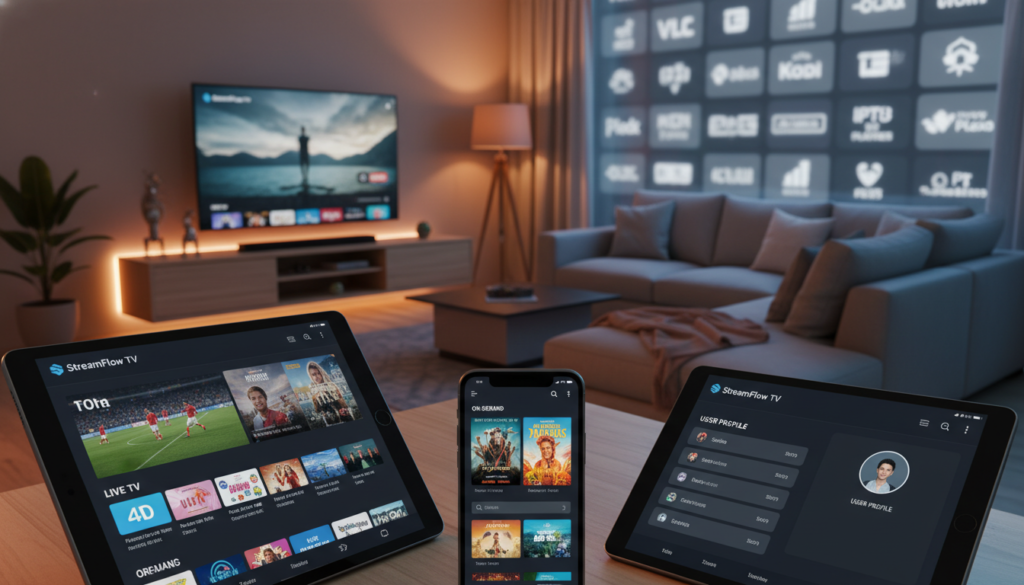
Tivimate for Android TV and Fire Stick
Tivimate is popular on Android TV and Fire Stick for good reasons. It offers a tidy live‑TV layout, fast channel switching, and strong favorites management. On a capable device it helps keep FHD streams steady and easy to browse.
IPTV Smarters Pro for iOS, Android, Windows, and Mac
IPTV Smarters Pro works across phones and computers. It’s flexible for mobile and desktop viewing, so families can use the same login on many devices. It handles playlists and EPGs well and is handy when you need multi‑screen access.
Smart IPTV for Smart TVs
Smart IPTV targets Smart TVs and simplifies channel lists on big screens. App availability can vary by TV brand, so check compatibility before you buy. Its setup often requires a short MAC-based activation step.
Features to Use Daily
- Favorites: quick access to main channels saves time.
- EPG: reliable guides reduce guessing and improve scheduling.
- Multi‑screen: useful for sports and shared rooms.
- Recording: when supported, it helps with missed shows.
Buyer takeaway: the best iptv setup is provider + app + device working together. A modern player on a good device keeps FHD picture quality consistent and makes the viewing experience much better than channel counts alone.
Conclusion
Wrap up your search by confirming the essentials: pick the channels, movies, and series you watch most and test peak‑hour playback before committing to a long plan.
Practical priorities: favor stable streaming and clear pricing over flashy counts. Confirm instant access via email and step‑by‑step setup, and make sure 24/7 support responds quickly if you don’t receive credentials.
Quick pre‑purchase checklist: test your internet speed, try Ethernet for a stable internet connection, choose a reputable player app, and verify multi‑screen needs for compatible devices.
Final tip: choose the plan length that matches your comfort, check the money‑back window, and then start your iptv subscription canada trial. When everything lines up, enjoy better viewing and fewer interruptions.